
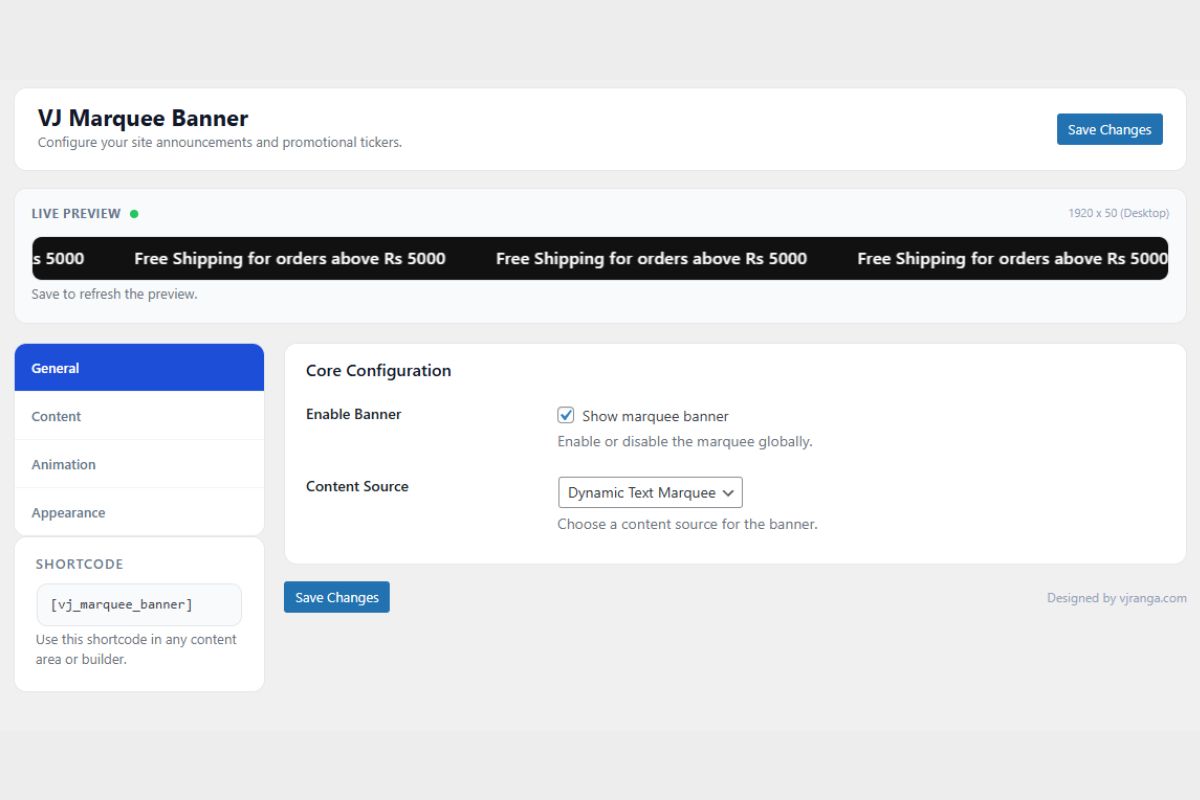
Sometimes a small UI feature requires a custom solution when a theme does not support it natively. This was the case when a website needed a scrolling announcement banner above the header.
The site was using the Elessi theme, and there was no built‑in option to place a scrolling message bar at the very top of the page. The requirement was straightforward: display promotional messages in a moving banner and allow them to be updated easily from the WordPress admin panel.
The Requirement
The goal was to add a banner above the main header that could display announcements such as promotions, shipping updates, or other notices.
Two main constraints shaped the implementation:
- The banner needed to appear above the theme header.
- Content updates needed to be simple for non‑technical users.
Installing a large third‑party plugin was unnecessary for such a small feature, so a lightweight custom plugin was created instead.
Approach
The plugin integrates with the theme by inserting the banner before the header using the available WordPress hooks. For themes that do not expose the same hook structure, a fallback method ensures the banner still renders in the correct position.
The main objective was to keep the implementation minimal while allowing enough flexibility for different use cases.
Content Options
The banner supports multiple types of content.
Text Marquee
A scrolling text message where each line can optionally link to a page. This is useful for announcements such as promotions or notices.
Image Marquee
A horizontal strip of images that scroll across the banner area. This can be used for logos, promotional graphics, or partner highlights.
Elementor Template
If a site uses Elementor, a saved template can be rendered inside the banner area. This allows complex layouts to be reused without writing additional code.
Placement Flexibility
Although the banner was primarily designed for use above the header in the Elessi theme, it also includes a shortcode for manual placement.
[vj_marquee_banner]
This shortcode allows the banner to be inserted anywhere, including:
- page templates
- Elementor sections
- widget areas
- custom theme locations
This makes it possible to use the banner in different themes without modifying theme files.
Configuration
The plugin includes a settings page in the WordPress admin panel where the banner can be configured.
Options include:
- banner content
- scrolling speed
- height
- colors
- typography settings
- spacing and layout adjustments
The goal was to allow banner updates without editing theme files or writing CSS.
Styling
Instead of relying on hardcoded styles, the banner uses CSS variables to control visual settings such as colors, spacing, and font sizes. This approach keeps the markup simple and allows theme styles to override or extend the banner when necessary.
Source Code
The plugin source code is available on GitHub:
