
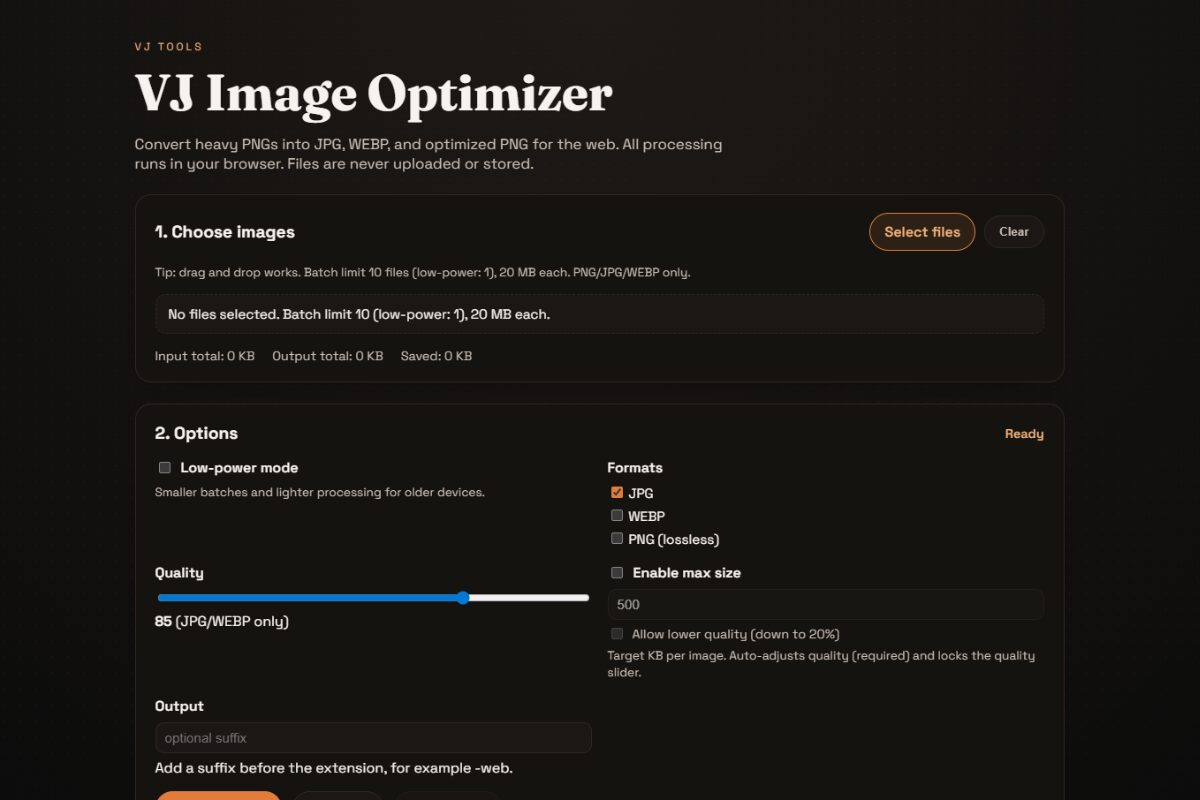
Every developer knows the “WooCommerce Weight” problem. You’ve got a client with 100+ product photos, and each one is a 5MB monster that will destroy the site’s loading speed.
Recently, I found myself in this exact position. I needed to optimize a massive batch of images for a WooCommerce build, but the tools available were slowing me down.
The Problem: Limits and Costs
First, I tried the usual online converters. They were slow, riddled with ads, and many imposed a strict 5MB limit. When you’re dealing with high-res photography, 5MB isn’t enough.
Next, I thought about using an AI-based processing script. But as I started looking at the code, I realized something: Why waste API tokens on basic image compression? AI is great for generation, but for resizing and converting formats, we don’t need a server or a paid token. We can do it all for free, right in the browser.
The Solution: VJ Image Optimizer
I decided to build a simple, high-performance web tool that solves these three specific pain points:
- No API Costs: It uses your computer’s own power to process images. No tokens, no credits, no limits.
- Privacy First: Images never leave your device. Because the processing happens locally in your browser, no data is ever uploaded to a server.
- No File Size Stress: I set the limit to 20MB per image—four times what most free tools allow—because that’s what real-world projects actually need.
How the “Simple Way” Works
The tool is built with vanilla JavaScript using the HTML5 Canvas API. Here’s what’s happening under the hood:
- Local Rendering: The browser loads your image into memory and draws it to a canvas.
- Smart Compression: It uses an iterative loop to check the file size. If you set a “Max KB” limit, the code re-encodes the image multiple times until it hits the perfect balance of quality and size.
- Batch ZIP Downloads: To save time, I integrated a ZIP library so you can convert 10 images at once and download them in one file.
Sharing for Fun
I built this primarily to speed up my own workflow, but I’m sharing it for fun in case it helps another developer or store owner save some time (and some API tokens). It is fully open-source under the MIT license.
Try the tool here: image-optimizer.vjranga.com
Check out the source code: GitHub – VJ-Image-Optimizer
