
Sometimes the best tools are born out of a “help, I’m locked out!” message.
Recently, I was handling some intense hosting migrations and website restorations for a few clients. While the technical side of the restoration went smoothly, we hit a human hurdle: several clients realized they didn’t have their admin passwords saved after the move.
Since WordPress and most CMS platforms use Bcrypt (which is a one-way hashing algorithm), I couldn’t just “look up” their old passwords. I needed to generate new hashes quickly and inject them directly into the database to get everyone back online.
Why build it?
Honestly? Mostly for the fun of it! Sure, I could have used a random online website or just hopped into the terminal to generate a hash, but I thought—why not just build my own? It was a cool little project to put together. Plus, as a dev, I’m always a bit wary of putting passwords into random third-party websites anyway. Having my own tool means I know exactly where that data is going (nowhere!).
The Project: VJ-Bcrypt-Generator
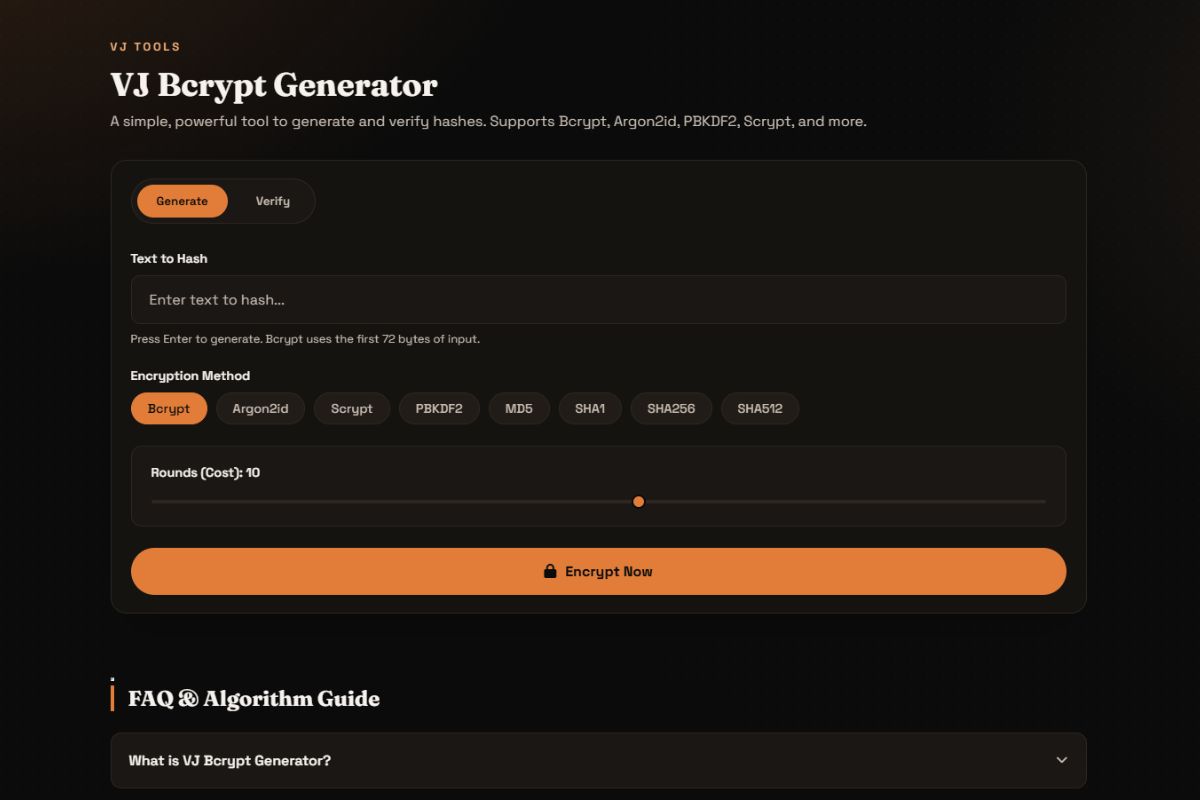
I put together this lightweight Bcrypt Generator to handle these exact moments. It’s a simple utility that takes a plain-text password and spits out a secure hash ready for any database.
I’ve published it online for anyone to use here: 👉 https://bcrypt.vjranga.com/
And if you want to see the code or host it yourself, you can check out the repo: 👉 VJ-Bcrypt-Generator on GitHub
It was a fun, quick project that solved a very real headache during a busy week of server management.
Coming Soon: I’m drafting a separate post about the specific hosting issue that caused this whole situation—and more importantly, how I fixed it. Stay tuned!
